AnimaProto: a direct pipeline for production-ready motion
Does this situation sound familiar to you?
You had a brilliant micro-interaction idea. You jumped between Illustration, Figma, ProtoPie and AfterEffect to translate that subtle motion from concept into a polished design. Finally, you handed off clean and working code to dev. Then they found it still a giant headache to interpret fully so they had to re-code.
To ease this pain, for myself at least, I built AnimaProto, a web-based prototyping tool to eliminate these frictions with Gemini 3.
It’s for you who are:
Designers who need to quickly test sophisticated motion concepts without getting lost in the complexity of tools like ProtoPie and After Effects.
Developers who want clear, ready-to-use code for complex animations right from the design file.
Anyone who needs a powerful way to prototype or just have fun with motion design.
Key features
1. Advanced Generative Effects
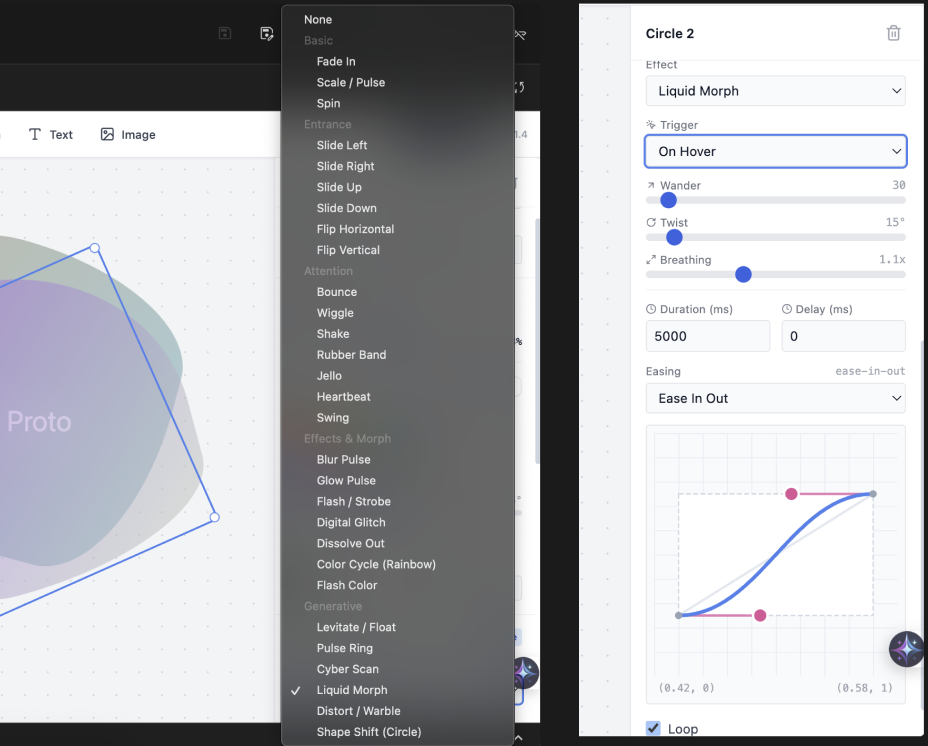
There are five effect categories (Basic, Entrance, Attention, Morph, and Generative), but the Generative Effects really elevate it.
It allows you to access complex motion that usually requires expert-level work in dedicated animation software with a simple click in the effect list.
Instead of keyframing, you can instantly apply and tune the following effects as precisely as you like:
Float (subtle, continuous motion)
Pulse Ring (for high-fidelity attention)
Cyber Scan (futuristic visual feedback)
Liquid Morph & Distort (complex, organic motion)
Shape Shift (advanced structural changes)
Each effect comes with detailed controller for fine tuning.
2. A Motion Design Environment
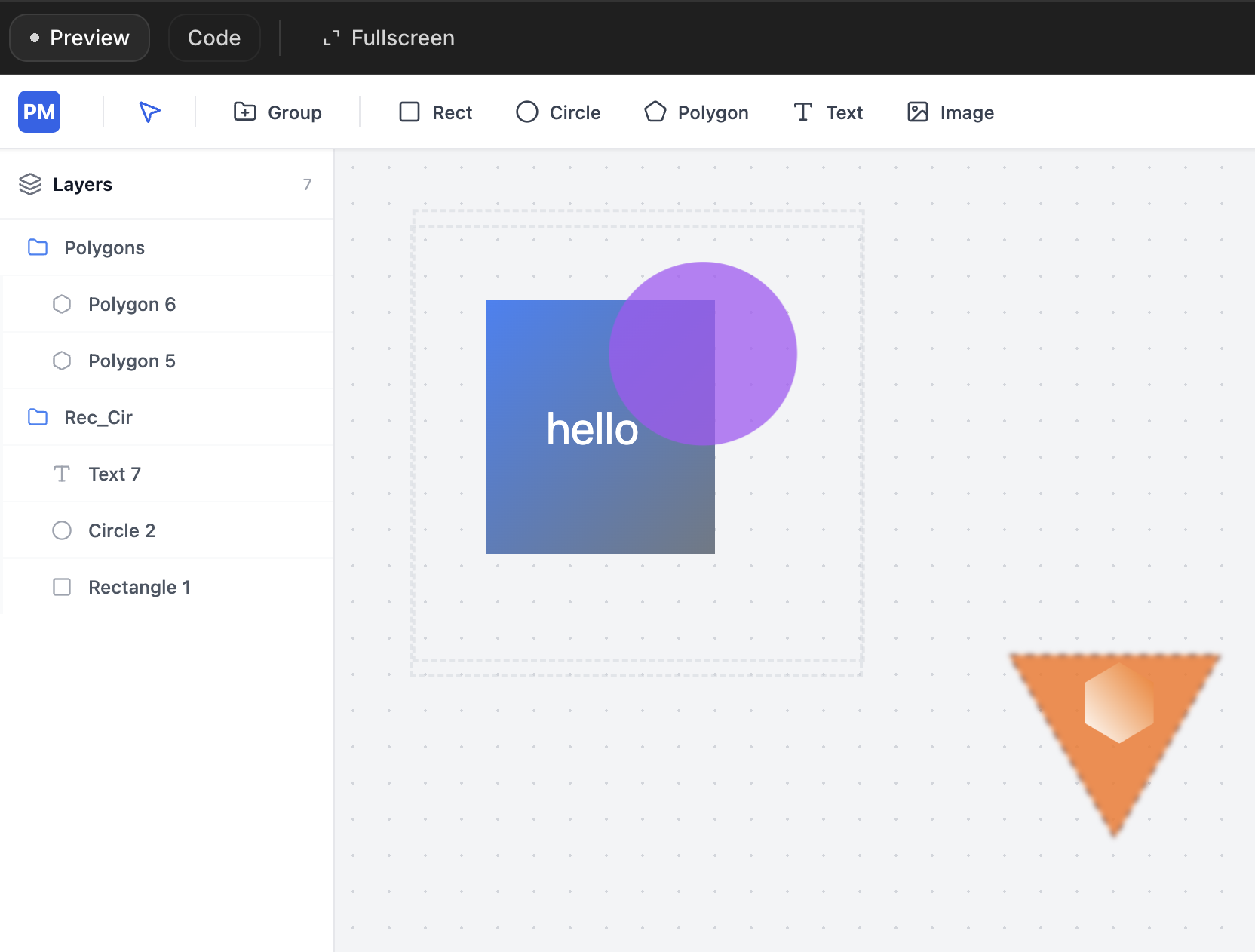
Similar to Miro or Figma, you work on a single canvas, not in separate files, creating as many independent animations as you need in one place.
Use Groups and Layers to organize elements and effects, allowing you to easily build compound elements.
Design in Context: See how your button's hover effect looks next to the pulsing notification icon, ensuring visual harmony across the screen.
Scale Up: Build a complex widget by grouping multiple animated components together, then apply master effects or controls to the group itself.
Export Everything at Once: When you are done, select those layers or groups, hit Export button, then they are ready for integration.
3. Direct, Production-Ready Code Export
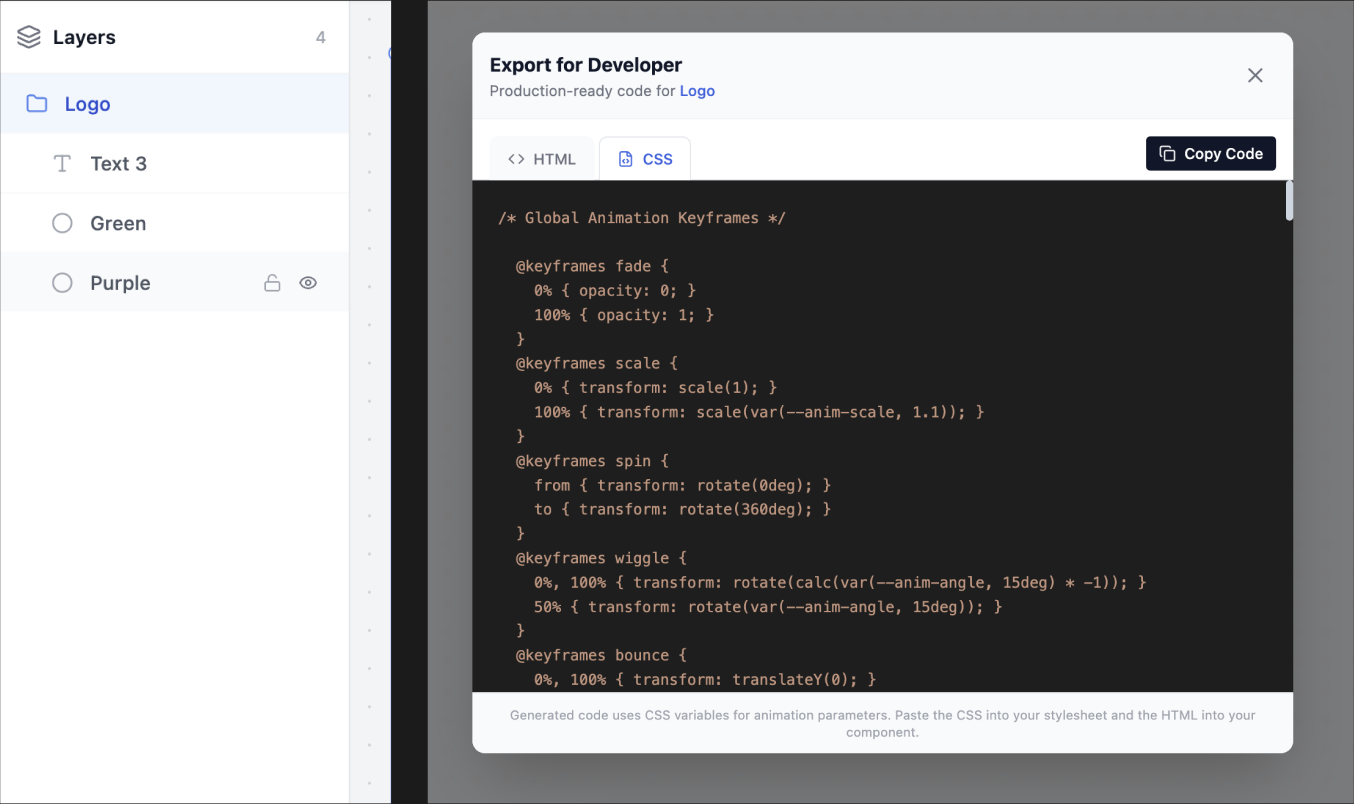
The biggest hurdle in the handoff is the need for developers to re-code the designer's motion intent. AnimaProto’s primary goal is to provide an efficient path from idea to deploy.
When you are happy with your prototypes, AnimaProto generates clear, optimized, production-ready CSS and HTML code that you can hand directly to your development team. This ensures 100% fidelity between the design file and the live product, eliminating friction and saving development time.
Demo
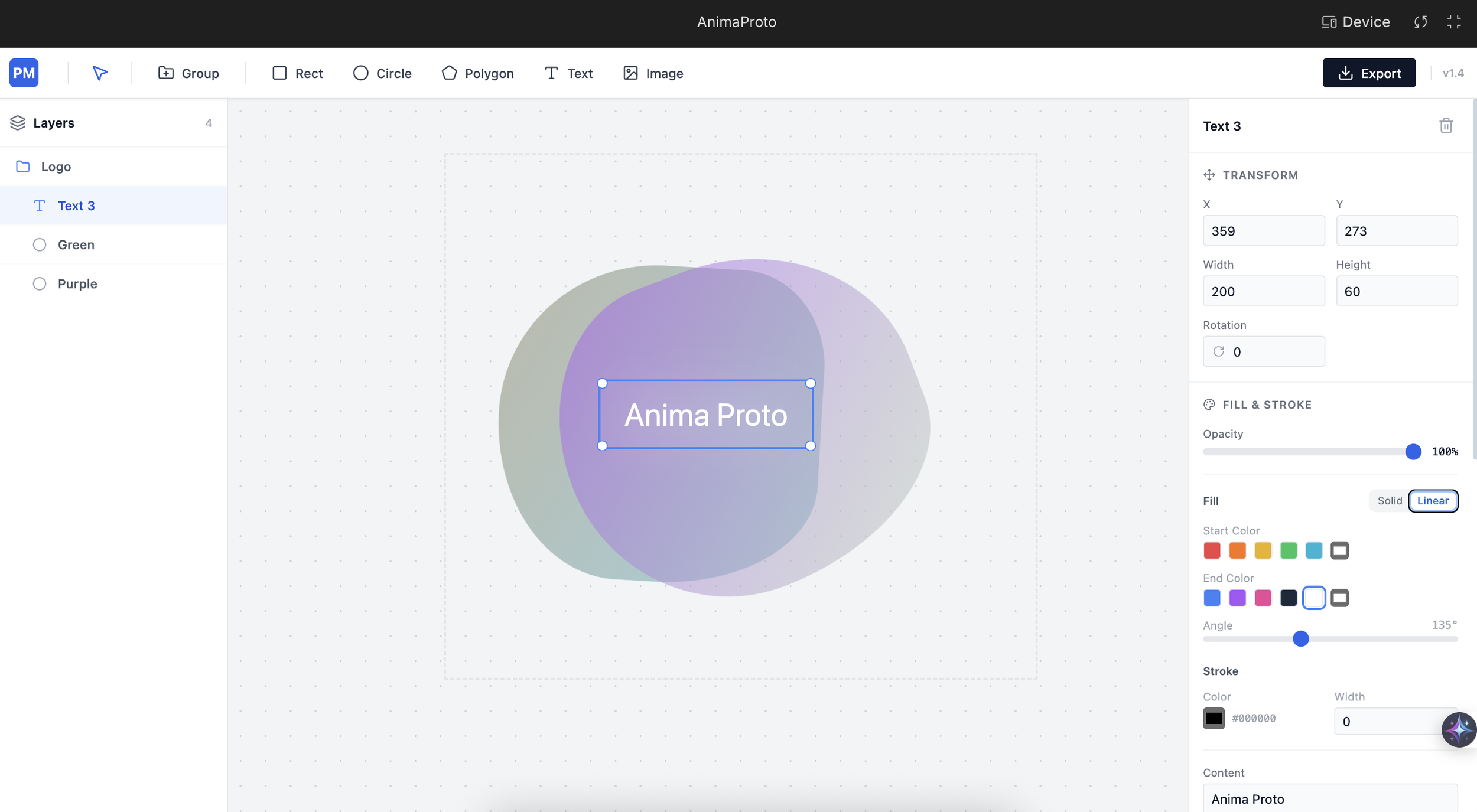
What do you think?
My intention to build AnimaProto is to combine the precise control of tools like ProtoPie with the ease-of-use you need for a fast workflow. It’s an exercise in simplifying complexity.
Now, I’d appreciate your eyes and opinions to bring it forward from this MVP version. Your feedback now will directly shape its furthur development and feature set. (p.s this is not online yet)
What do you think? Does AnimaProto solve a real problem for you or your team? Any feather you like or miss here?
Drop your thoughts in the comments below!