From MVP to V1.0: Deconstructing the AI Workflow and Skills
In my previous post, I shared how I used Cursor and ChatGPT to build the MVP of Swedish Sidekick, a Chrome extension that helps me learn Swedish vocabulary in context. The demo runs perfectly, but it was far from being a real product.
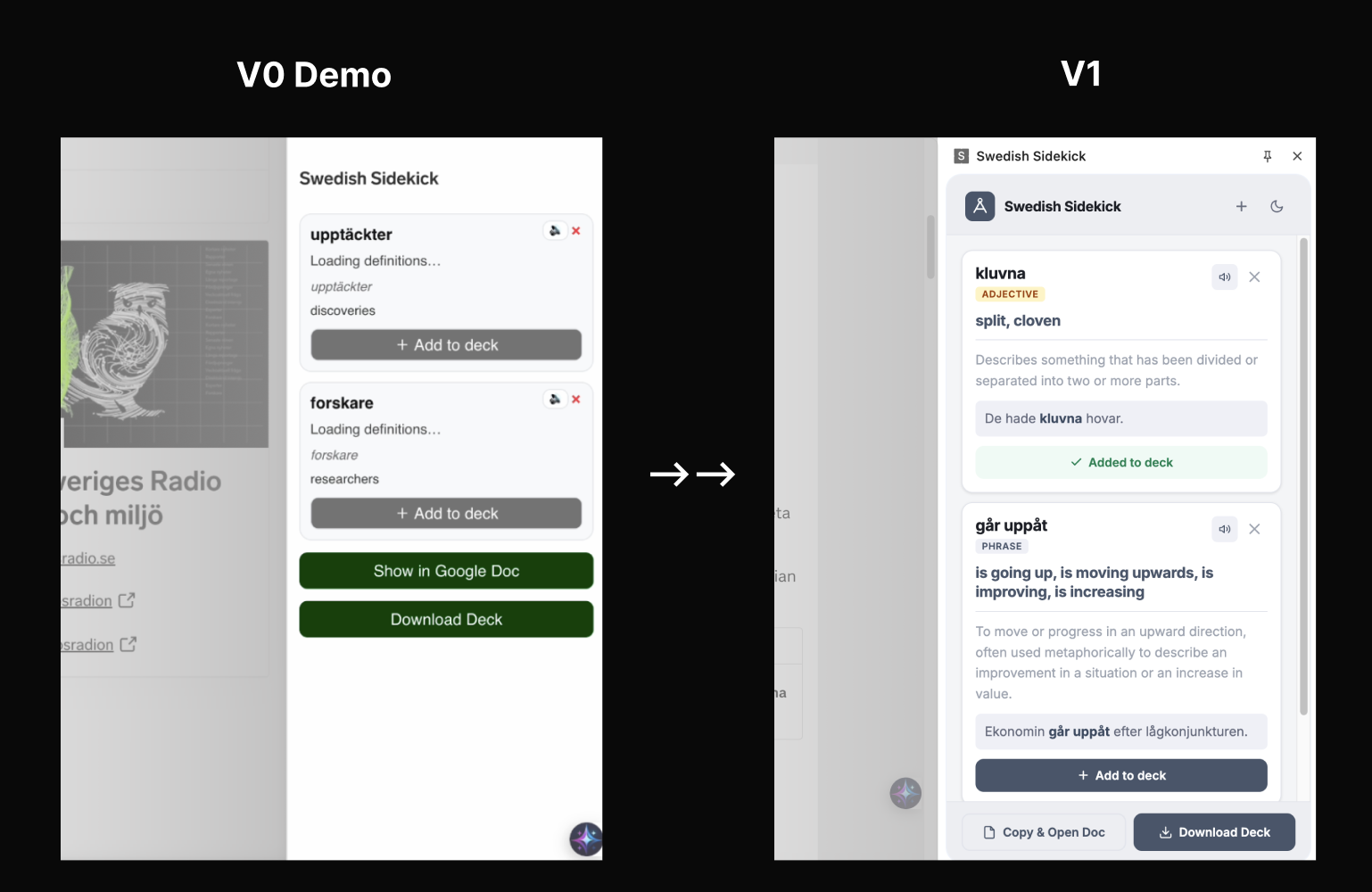
To move to v1.0, I break the project into small tasks and tackled each one of them with specific AI tool in a workflow. in this way, it returned much better controlled results that close to design intent. I will walk through the deconstructed workflow step by step.
Put Tasks into a Workflow: How to achieve what
It’s just hard and messy to work on a project from simple prompts in one chat.
As a Design, or a Product Manager in this context, I asked my self, “what are the main tasks (building block) in this project?” My answer is:
Interface and Frontend: More polished design and the muscle to make it work
Card Deck Templates: clean and structured template to log all the learned words
A Knowledge Bank: store my previous "wins" as reference for future reuse
Now I have clear overview of what I want to achieve, I selected particular Claude Skills to help me do the job better. Using Skills is like guiding an specialist to complete this task. I used Skills like frontend-design for polishing frontend based on my design exported from Figma and docx for making the doc template. Lastly, put everything in Claude Projects and connect it to Github. This allowed me to maintain a persistent "memory" of my codebase by keeping confirmed features as reference files, ensuring new UI tweaks didn't break existing integrations.

Iteration based on Real Feedback
I asked my classmates to test the MVP and give feedback on that. Here are the top 3 likings and missings:
❤️ What’s appreciated
"The context explanation is very useful!"
"I like I can save it to cloud and keep track of them"
"Clear to have them highlighted"
😞 What’s missing
"Is this a verb or an en/ett word?"
"I want to add my own words manually too, not just highlighting the ones on the webpage."
“Does it have dark mode?”
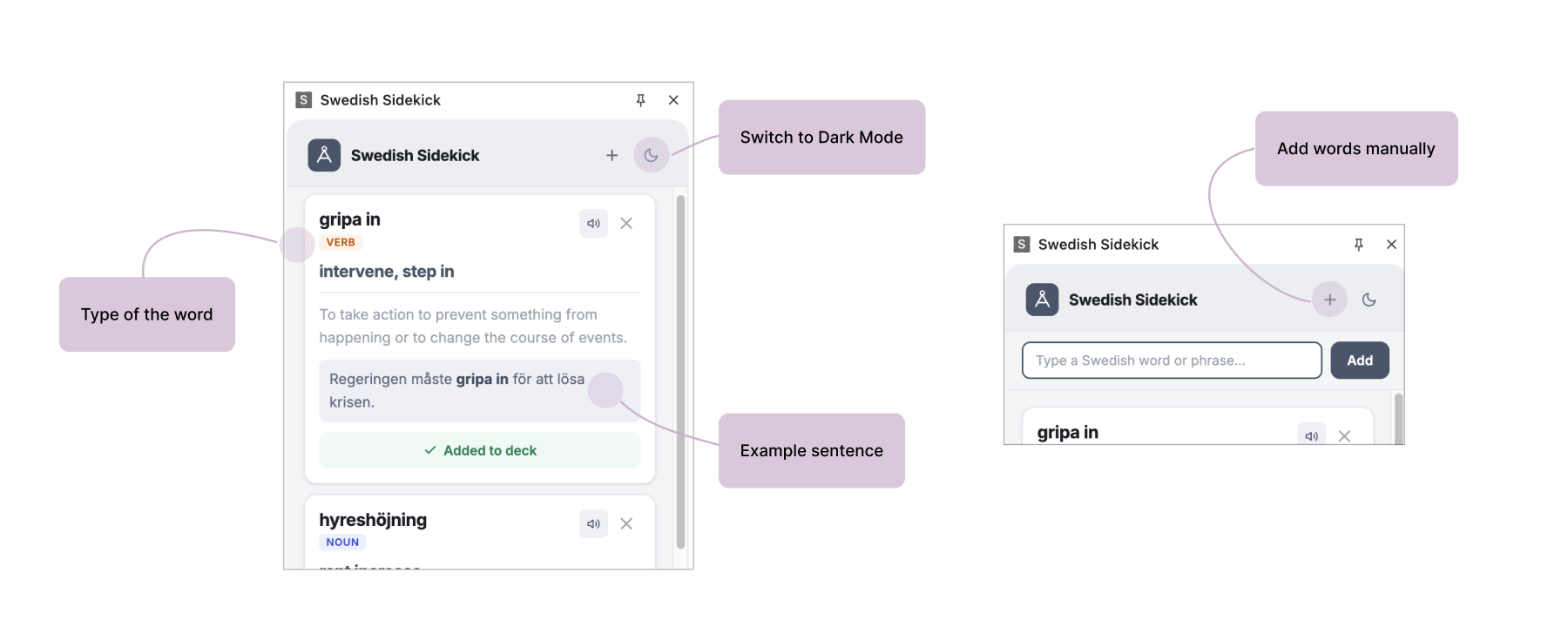
To address this, I added a manual input field in the side panel so users can ask the LLM about specific words on the fly. I also added Word Properties, so every saved card now explicitly labels the word type—verb, noun, or phrase—making the learning process far more robust. I'll talk more about Dark Mode shift in the next part.
Even with AI, this remains the most time-consuming part to get right. To make sure the overall design and design on each feature look good and follow the right flow takes lot of patience. However, the effort pays off in the long run as it helps generate a robust design system for future iterations.
Light/Dark Mode, Accessibility
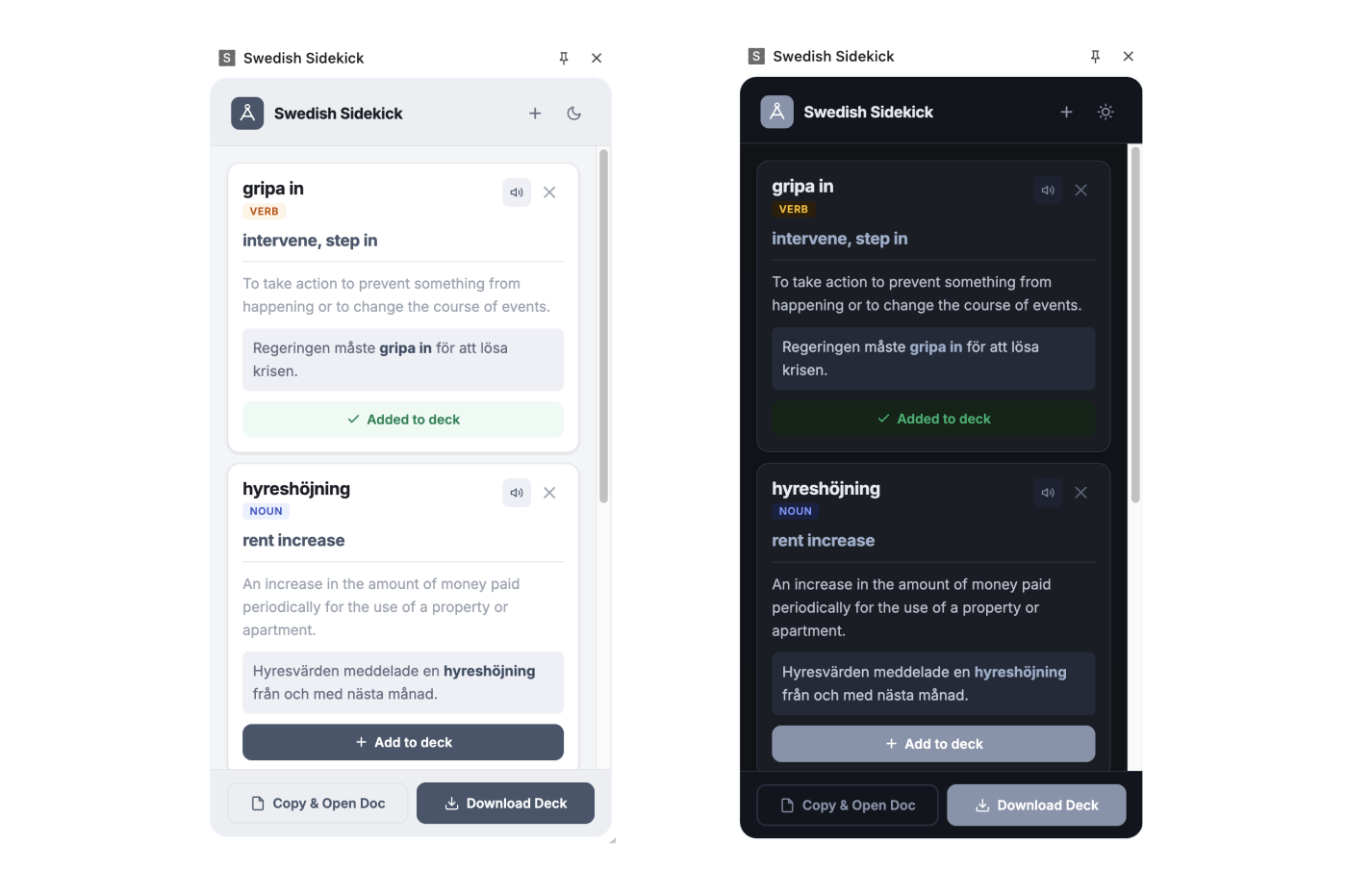
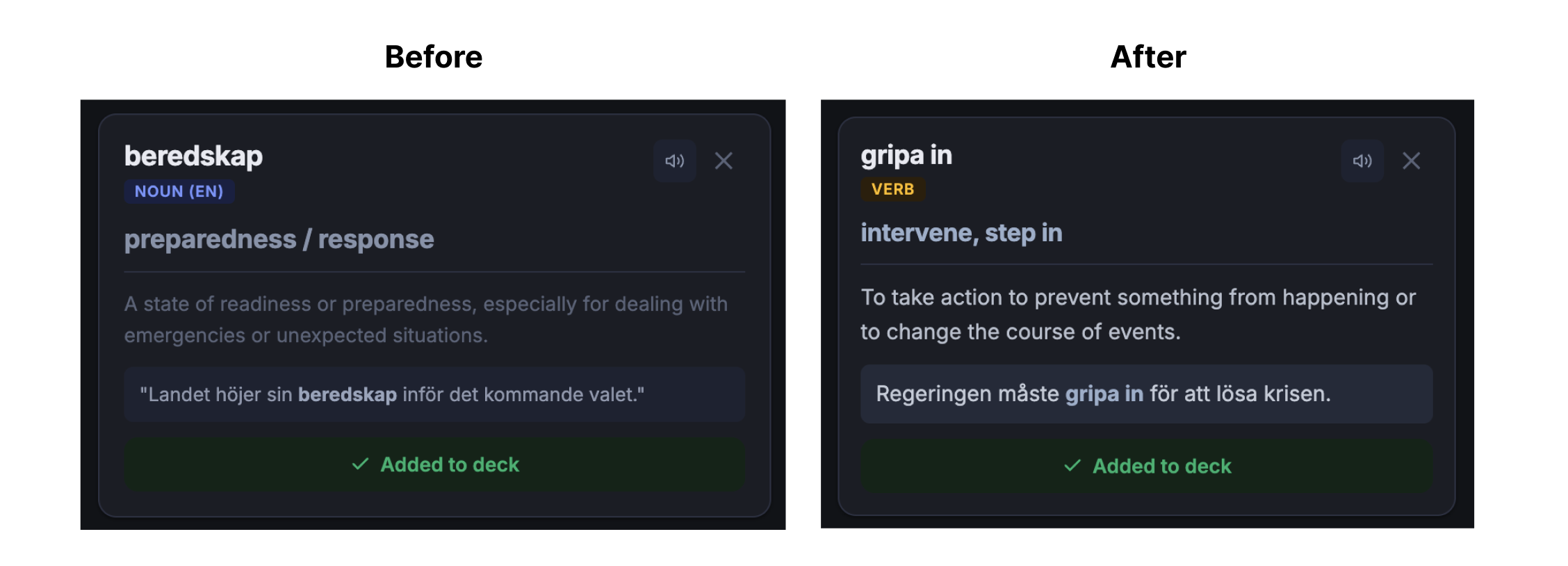
Implementing a full Dark Mode toggle was a good practice on accessibility.
I used Stark to audit the design and ensure I checked every essential accessibility box. I was specifically targeting:
Contrast Ratios: ensured that all text, especially the complex Swedish characters and smaller sub-headers, maintained a high contrast ratio against the background in both themes to meet WCAG standards.
Text Spacing & Readability: refined the letter-spacing and line-height to prevent "visual crowding", ensured that long phrases remain legible at a glance.
Visual Feedback and Hierarchy: effectively signal status changes while maintain visual hierarchy
System Sensing: it automatically detects whether your operating system is set to Light or Dark mode and adjusts the UI theme to match your environment without manual toggling.
A Live Doc on Cloud: Log your everyday learnings
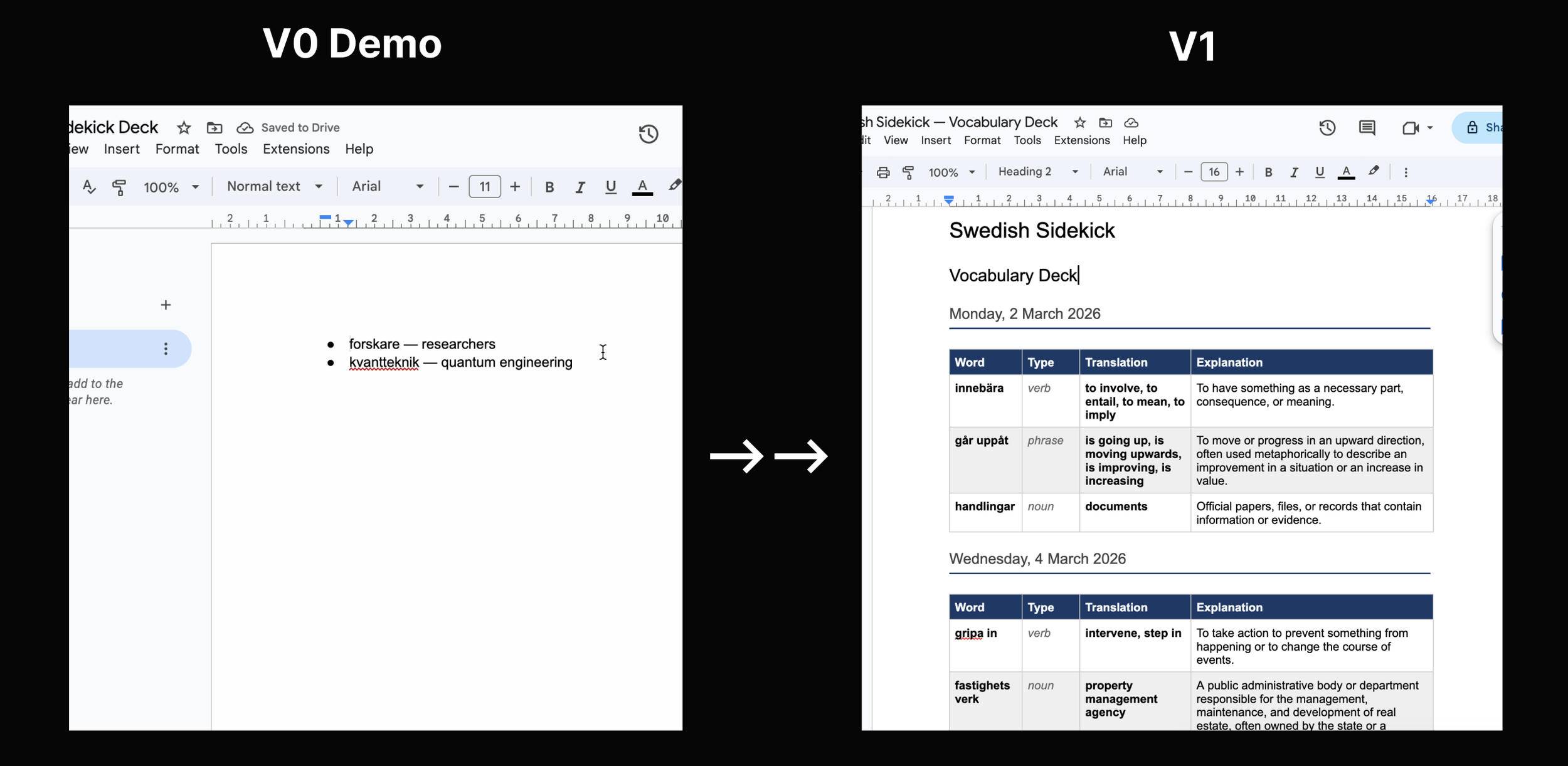
One of the biggest challenges (and secrets) in learning anything is consistency. Instead of one-off manual exported doc in MVP, I turned it into an automated live doc that gathers all the words in one place, and to encourage persistent study flow.
To keep it orgnaised and easy to read, I used Skills to create a clear template for both Google Doc and downloadable text.
For users who signed in to their account:
Seamless Auth: The user signs in once to their Google account.
The Live Doc: The first time they click "Copy & Open Doc," the extension creates a dedicated "Swedish Sidekick Vocabulary Deck" on their Google Drive.
Smart Appending: Every day, new words marked as “Added to deck“ are automatically added to that same document as you learn.
Structured Learning: Words are organized into a clean, dated table with columns for Word, Type, Translation, and Explanation.
Takeaways and more thoughts
Designers are now more than just craftsmen, but also Product Manager, Project Manager, Artistic Director, Quality controller, and so on.
I learned that it’s critical to:
Understand what we are designing, and for whom, with a holistic view
Pick 2-3 tools and master them. That’s enough.
Break down the big project into small building blocks to ensure we don’t let AI flow out of control
Focus on one task at one time, not everything at the same time
Less is More
Testers also mentioned wanting more features like more target languages and the option to adjust font sizes. However, I decided to keep v1.0 focused on these core updates to ensure the primary functions are running perfectly before adding too many features.
If the video doesn’t load, you can watch the demo here